

My credit card expired. How do I update it?
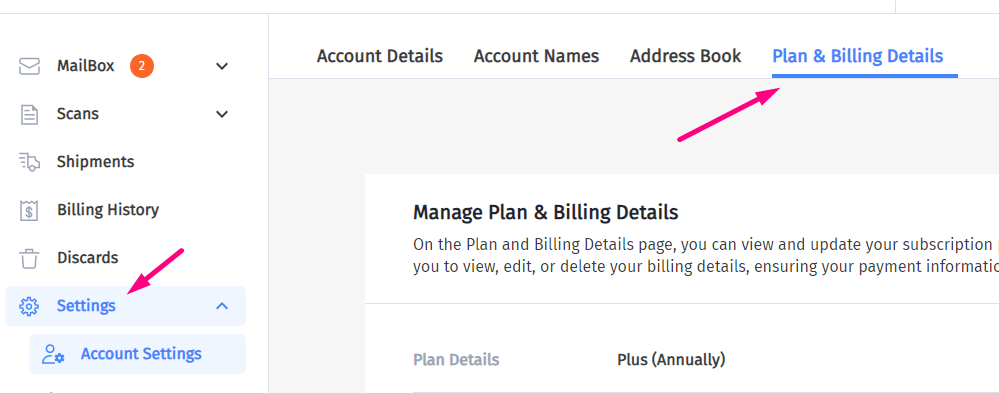
1. Log In To Your Account and go to the Settings tab:
2. Click on Plan & Billing Details:
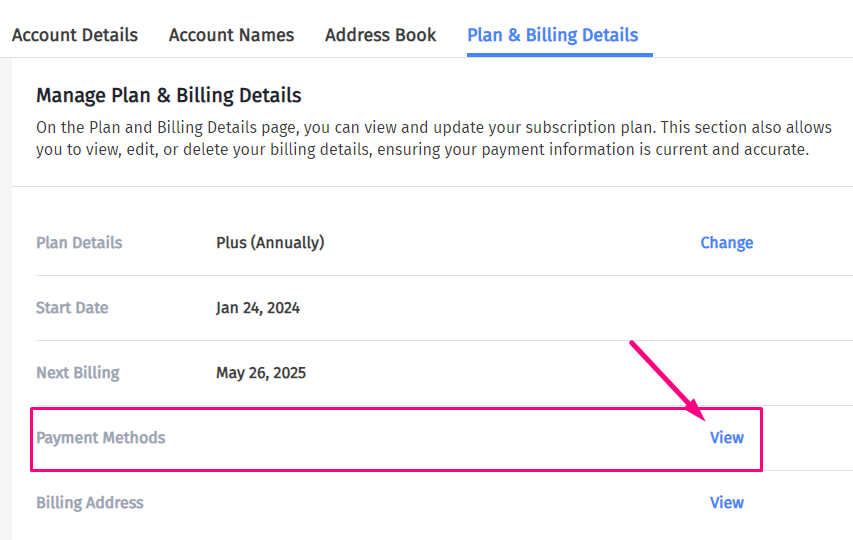
3. Then click “View” next to Payment Methods.
4a. To update an existing payment method, click on the credit card:
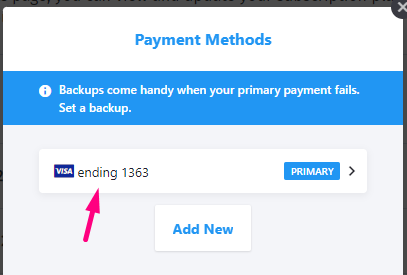
Click “Edit Payment Method”. Update the card details, then click “Update”.
Your new card is now ready for use. If there are any unpaid invoices, you can go to the Invoices tab to take care of them.