How Secure Is Mail Forwarding? What to Look for in a Mail Forwarding Service
Mail forwarding security depends heavily on the provider you choose. When you use a mail forwarding service, a third party may receive, handle, open, and scan sensitive documents on your behalf, including tax returns, bank statements, checks, legal notices, credit cards, and government correspondence.
That makes security one of the most important factors to consider when choosing a provider.
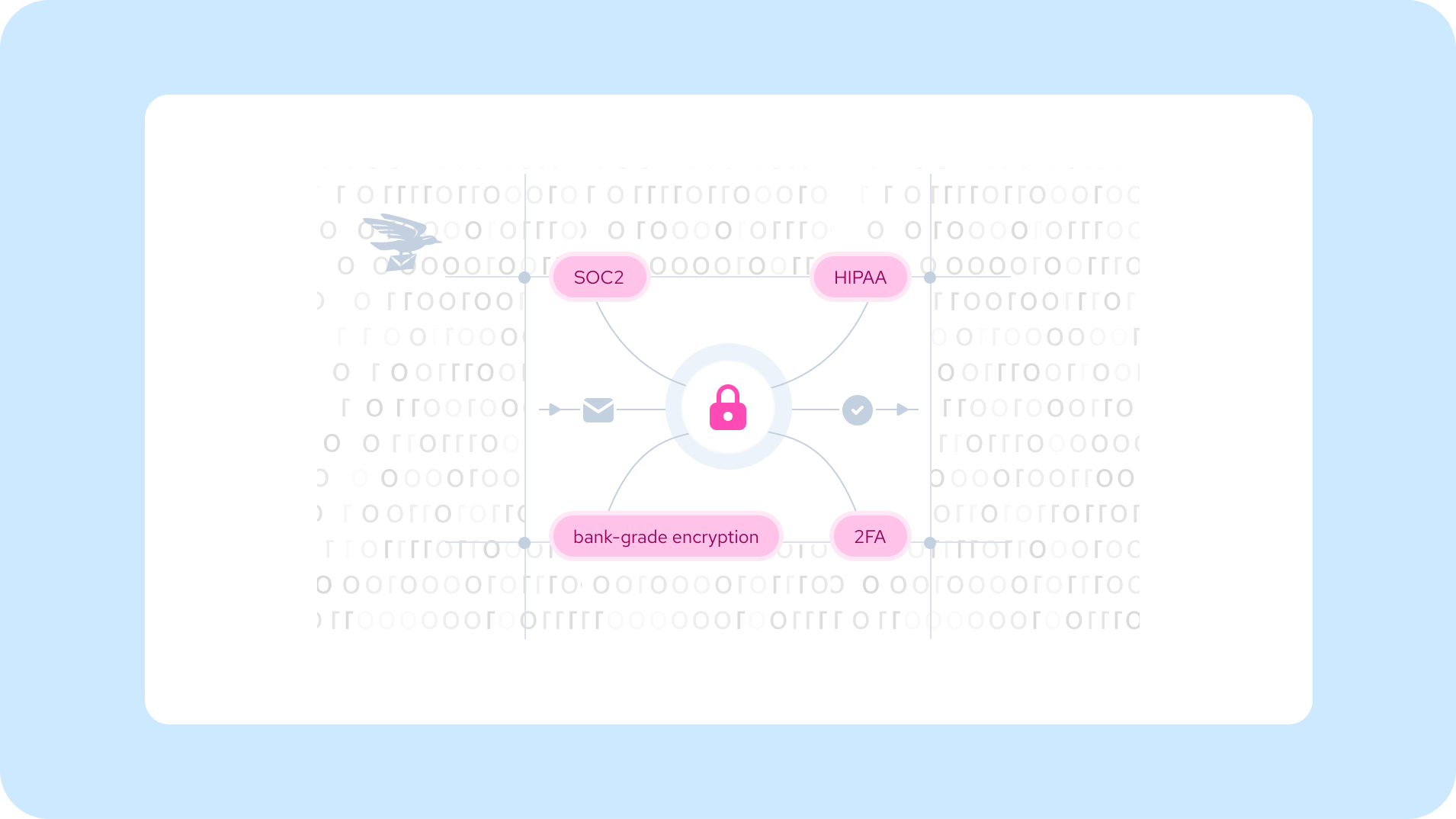
A secure mail forwarding service should have strong physical and digital security measures, clearly defined access controls, and transparent policies for handling and storing your mail. Certifications such as SOC 2 Type II and HIPAA compliance can also provide additional insight into a provider’s security practices.
How Mail Forwarding Services Protect Your Mail
When you sign up for a mail forwarding service, you are typically assigned a personal mailbox number (PMB). This number identifies your mailbox within the provider’s facility and should be protected from unauthorized access.
Providers may also require identity verification before they can receive mail on your behalf. This helps prevent someone from impersonating you and redirecting sensitive mail, credit cards, checks, or other correspondence to themselves.
Common verification requirements include:
- Two forms of identification for each person on the account
- A verified payment method
These requirements may add an extra step to the signup process, but identity verification is an important part of protecting customers and preventing unauthorized mail handling.
Who Can Access Your Virtual Mailbox?
Access to your virtual mailbox should be limited to you and the authorized users listed on your account.
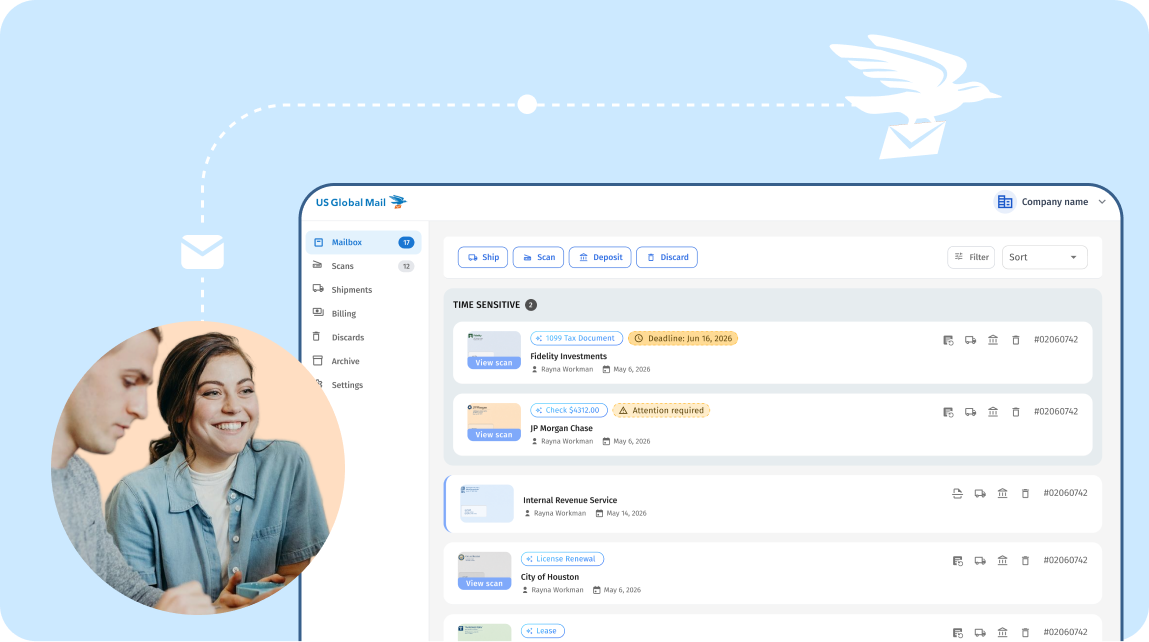
Mail should not be forwarded, scanned, discarded, or shredded without an authorized request. When you request a scan, the provider should give you secure access to the digitized document through your account or another protected delivery method.
Some providers also automatically delete scanned documents after a defined period. This can reduce the amount of sensitive information stored digitally over time.
Mail Tracking and Item Identification
A secure mail forwarding service should also have a reliable system for tracking individual mail items.
For example, each item may be associated with a unique barcode and recorded in your online mailbox. This creates a record of incoming mail and makes it easier to identify a specific item if a question or issue arises.
Security, confidentiality, and transparency should all be considered when evaluating a mail forwarding provider. Reviews and customer feedback can also provide useful insight into how a company handles customer concerns.
How to Find a Secure Mail Forwarding Service You Can Trust
Choosing a mail forwarding service means trusting another organization with your physical correspondence and, potentially, highly sensitive information.
While the United States Postal Service is subject to federal laws governing mail handling and unauthorized access, a mail forwarding provider operates as a third party handling mail on your behalf. That makes it important to understand the provider’s security practices before signing up.
Here are several areas to evaluate when comparing providers.
Check the Provider’s Reputation
When you give a mail forwarding company access to your mail, you are trusting it with documents that may contain financial, legal, or personally identifying information.
Before signing up, research the provider’s reputation and look for:
- Customer reviews and feedback
- Complaints and how the company responded to them
- Better Business Bureau (BBB) information
- The provider’s history and experience
- Clear information about its security practices
Taking time to research a provider can help you understand how it handles customer issues and whether its security practices are clearly communicated.
Evaluate Both Physical and Digital Security
Mail forwarding security has two sides: physical security and digital security.
Your mail first exists as a physical document. Once it is scanned, it becomes a digital file. A secure provider needs safeguards for both.
Physical Security: How Your Mail Is Protected
The facility where your mail is received, stored, opened, and scanned should have appropriate physical security controls.
Here are some of the key things to look for.
In-House Facilities vs. Third-Party Locations
One important consideration is whether a provider operates its own mail-handling facilities or relies on independent third-party locations.
Providers with in-house facilities can maintain direct control over staff, access, training, and mail-handling procedures. When a provider relies on third-party operators, your mail may be handled at locations that the provider does not directly manage.
Understanding who physically handles your mail and where it is stored can help you evaluate the level of control a provider has over your documents.
24/7 Surveillance
Mail receiving, processing, and storage areas should be monitored with security cameras.
Surveillance can help deter unauthorized access and provide an audit trail if an incident occurs.
Controlled Access
Access to mail storage and processing areas should be restricted to authorized personnel.
Delivery drivers, visitors, customers, and other individuals should not have unrestricted access to areas where customer mail and sensitive documents are stored.
Trained and Screened Staff
The people handling, opening, and scanning your mail should be appropriately trained and screened.
Staff should understand document-handling procedures and the importance of protecting customer information throughout the mail processing process.
Digital Security: How Scanned Documents Are Protected
Once your mail has been scanned, the resulting digital file needs to be protected just like other sensitive information stored online.
When evaluating a provider, look for the following safeguards.
Encryption
Scanned documents should be encrypted both while they are being transmitted and while they are stored.
If a provider advertises a specific encryption standard, such as AES-256, review its security documentation to understand where and how encryption is used.
Two-Factor Authentication
Two-factor authentication (2FA) adds another layer of protection to your account.
Instead of relying solely on a password, 2FA requires an additional verification step. This can help prevent unauthorized account access if a password is compromised.
Role-Based Access Controls
For business accounts with multiple users, role-based access controls can help limit access to sensitive information.
Not every employee or team member necessarily needs access to tax documents, legal correspondence, or other private mail. A provider should give account administrators appropriate controls over user access.
Automatic Scan Deletion
Digital scans should not necessarily remain available indefinitely.
Look for providers that have defined retention and deletion policies and clearly explain how long scanned documents are stored. Some providers automatically delete scans after a specified period unless the customer chooses to retain them.
Secure Cloud Storage
Documents that customers choose to retain should be stored using secure cloud infrastructure with appropriate access controls and encryption.
Ask providers where customer documents are stored and what safeguards are used to protect them.
Security Certifications to Look For
Security certifications and compliance frameworks can provide additional information about how a provider manages sensitive data.
Two standards specifically discussed in this article are SOC 2 Type II and HIPAA compliance.
SOC 2 Type II
SOC 2 (Service Organization Control 2) is a framework developed by the American Institute of CPAs (AICPA) for evaluating controls related to areas such as security, availability, processing integrity, confidentiality, and privacy.
A SOC 2 Type II examination evaluates whether relevant controls are designed appropriately and operate effectively over a period of time. This provides more insight than simply reviewing a company’s self-reported security checklist.
When evaluating a provider, ask whether it has a current SOC 2 Type II report and what areas of its services and systems are covered.
HIPAA Compliance
HIPAA requirements are particularly relevant when a service handles protected health information (PHI).
Healthcare providers, insurance companies, medical billing organizations, and other businesses handling protected health information may need a mail forwarding provider that can support their HIPAA-related obligations.
A provider that handles PHI may also need to enter into a Business Associate Agreement (BAA), depending on the services and relationship involved.
HIPAA-related requirements should be evaluated based on your specific use case and the type of information being handled.
According to the source article, US Global Mail holds both SOC 2 Type II and HIPAA certifications, with BAAs available for customers who require them.
USPS Form 1583: Why It Matters for Mail Forwarding
USPS Form 1583 is an important part of setting up a commercial mail receiving service.
The form is used to authorize a Commercial Mail Receiving Agency (CMRA) to receive mail on your behalf and verify your identity.
What Does USPS Form 1583 Require?
The article identifies two key requirements:
Two Forms of Identification
Customers must provide two valid forms of identification. One must be a government-issued photo ID, such as a passport or driver’s license. The second may be another accepted form of identification or an eligible document such as a utility bill, bank statement, or vehicle registration.
Notarization
The form must also be properly notarized according to the applicable USPS requirements and the provider’s process.
The verification process may feel like an additional step, but it exists to help ensure that only authorized individuals can establish mail-receiving services in their name.
A provider that does not clearly explain its Form 1583 process is worth investigating before you entrust it with your mail.
Use Your Mail Forwarding Address Consistently
Once you have selected a provider you trust, using your forwarding address consistently can help keep your personal and business addresses separate.
A dedicated mailing address can reduce the need to share your home address with businesses, customers, websites, and other organizations.
Some mail forwarding services also provide a street address rather than a traditional PO Box. Depending on the provider and your intended use, a street address may be accepted by organizations or services that do not accept PO Boxes.
Always check the provider’s address-use policies and the requirements of the organization where you plan to use the address.
How US Global Mail Secures Your Mail
US Global Mail provides mail forwarding and mail scanning services designed to help customers manage physical mail remotely.
Its security approach includes the physical handling of mail as well as the digital systems used to access scanned documents. The company also provides information about its security certifications, privacy practices, and mail forwarding services.
If you are evaluating US Global Mail or another mail forwarding provider, review the company’s security documentation, service terms, and available compliance information before deciding whether the service meets your needs.
Final Thoughts: What Makes a Mail Forwarding Service Secure?
Mail forwarding involves more than simply providing a new mailing address. You are trusting a third party with physical documents that may contain financial, legal, and personal information.
Before choosing a provider, evaluate both sides of its security practices:
- Physical security: controlled facilities, surveillance, restricted access, and trained staff
- Digital security: encryption, 2FA, access controls, secure storage, and defined retention policies
- Compliance: relevant certifications and regulatory requirements
- Identity verification: a clear and secure Form 1583 process
- Transparency: accessible information about how your mail and data are handled
Taking the time to understand these factors can help you choose a mail forwarding service that aligns with your privacy, security, and mail management needs.