Somewhere in your building, an IRS notice is sitting in a tray. It arrived Tuesday. The person who checks the mail works Thursdays. The response deadline started counting the day it was postmarked. That is the real cost of a traditional mailroom. It’s rarely the rent or the salary. It’s the gap between when mail arrives and when the right person knows what it says.
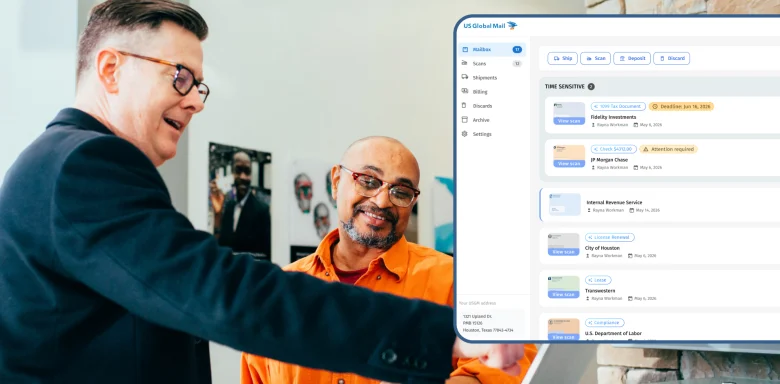
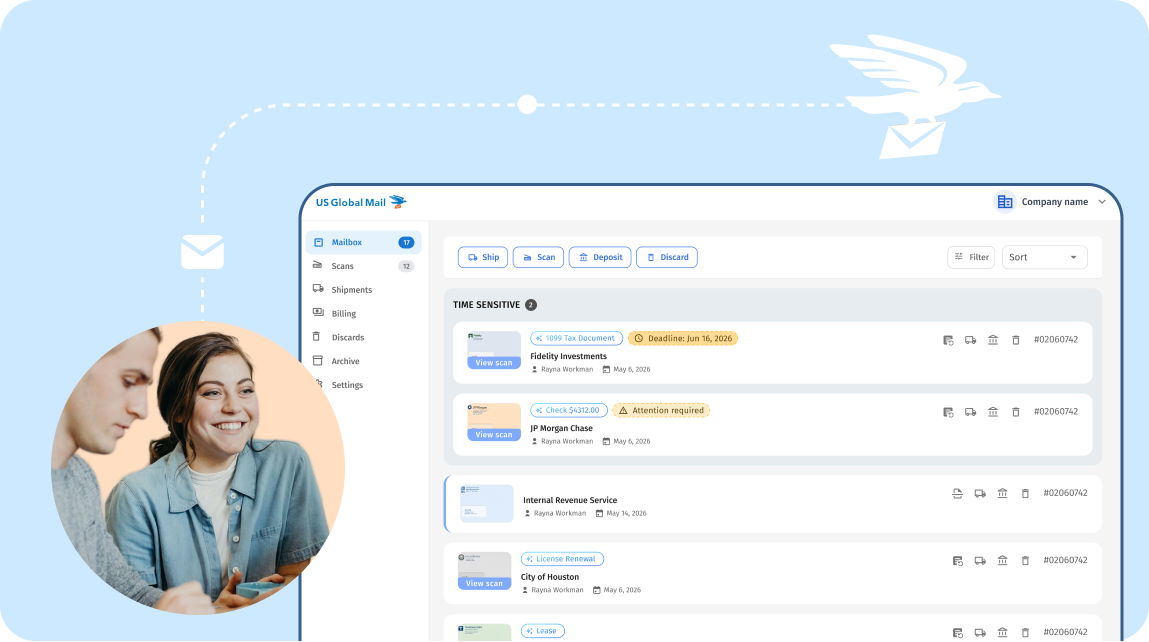
An AI-powered digital mailroom closes that gap. It receives your mail at a real street address, scans the envelope the day it lands, reads and summarizes the contents, and sends each piece to the person or tool that should act on it. For regulated teams, the platform should also be SOC 2 Type II audited and willing to sign a HIPAA Business Associate Agreement (BAA). US Global Mail has run virtual mailboxes since 1999 and now serves more than 100,000 individuals and businesses. This guide explains what to look for in any digital mailroom, and where USGM fits.
How do AI-powered virtual mailboxes compare to traditional mailrooms?
An AI-powered virtual mailbox replaces the room, the cart and the sorting shelf with a scan, a summary and a rule. A traditional mailroom depends on someone being in the building. A digital one works the same whether your team is in one office, five offices or none.
Traditional mailroom AI-powered virtual mailbox Where mail goes Your office, or a staff member’s home A real street address at a secure processing facility When you know it arrived When someone checks the tray Envelope scan and alert, usually within hours Knowing what’s inside Someone opens and reads it AI summary and label (“IRS notice,” “invoice,” “check”) before you open it Getting it to the right person Walked desk to desk, or forwarded by email Routed automatically by sender, recipient or category Checks Driven to the bank, or sent to a lockbox Scanned front and back and deposited remotely Records Filing cabinets Searchable PDFs, exportable in bulk Access control Whoever walks past the tray Role-based permissions, 2FA, activity logs When staff move or work remotely Mail piles up Nothing changes Cost model Space, staff time, courier runs Flat monthly plan
The biggest difference is not speed. It’s certainty. With a traditional mailroom, you find out you missed something when the second notice arrives. With a digital mailroom, every piece has a timestamp, a scan and an owner.
One USGM customer, the CRO of Egnyte, said switching from a traditional mailroom cut their mail processing time by 80%.
When a traditional mailroom still makes sense:
If your business receives heavy daily package volume that must be physically handled on site, such as lab samples or inventory, keep a physical receiving desk. Use a digital mailroom for letters, checks and legal correspondence.
Which digital mailroom platforms offer HIPAA and SOC 2 compliance?
US Global Mail is SOC 2 Type II audited and HIPAA compliant, and signs a Business Associate Agreement (BAA) with healthcare organizations and other covered entities. Its SOC 2 report and HIPAA documentation are available through the USGM Trust Center.
Before you choose any vendor, know what these words do and don’t mean.
- SOC 2 is an audit framework from the AICPA. An independent auditor checks a company’s controls for security, availability and confidentiality. Type II means those controls were tested over months, not on a single day. Ask for the report, not the badge.
- HIPAA has no official certification. A vendor that handles protected health information should sign a BAA, train its staff, encrypt data and limit who can see it. If a vendor says “HIPAA certified” and won’t sign a BAA, keep looking.
- Physical custody matters as much as software. Your mail is paper before it is a PDF. Ask who opens it, where, and under what supervision.
Five questions to ask any digital mailroom vendor
- Can I read your SOC 2 Type II report before I sign?
- Will you sign a BAA, and on which plan?
- Who physically opens my mail, and are they background checked?
- Is my mail processed in your own facility or a third-party storefront?
- Can I restrict which staff see which mail, and see a log of who viewed it?
How USGM answers them
Customer data is never sold, and admins can switch AI features off.
SOC 2 report and HIPAA documentation are shared through the Trust Center. USGM will also complete your security questionnaire, and sign a BAA and DPA before onboarding.
Mail is handled by background-checked, HIPAA-trained staff in company-owned, access-controlled facilities.
Scans are stored on SOC 2 and HIPAA compliant cloud infrastructure (Google Cloud and AWS) with 256-bit AES encryption in transit and at rest.
Role-based permissions, two-factor authentication and SSO (on Enterprise) control who sees what.
Which online mailroom solutions handle IRS and bank documents securely?
The mail that matters most is the mail you can least afford to lose: IRS notices, state tax letters, bank statements, replacement cards and checks. A secure online mailroom treats these differently from a catalog.
US Global Mail does four things with them:
- Flags them on arrival. AI labels such as “IRS notice,” “check” and “invoice” appear on the envelope scan, and the summary surfaces deadlines. You know a tax notice arrived before you open it.
- Limits who sees them. Permissions can let finance see bank mail while the rest of the team sees nothing.
- Deposits checks without a bank visit. Checks are scanned front and back with a deposit slip, then deposited remotely. Check deposit is included in every plan.
- Keeps an archive. Scans are searchable and can be exported in bulk for your accountant or auditor.
A note on addresses. USGM addresses are real street addresses, not PO boxes, and customers use them for business registration, banking and IRS correspondence. Individual banks set their own address rules, so confirm with yours before you switch. Like every US virtual mailbox, this requires a notarized USPS Form 1583, which USGM handles online.
What digital mailroom solutions integrate with Slack and Google Drive?
US Global Mail connects to Slack, Google Drive, Dropbox, OneDrive, Gmail, Trello, HubSpot, Jira and thousands of other apps through Zapier. Teams that build their own tools can use the USGM REST API, signed webhooks and official SDKs for TypeScript, Python, PHP and Go.
Here is what that looks like on an ordinary Monday:When this happens USGM does this automatically A check arrives Posts to your #finance Slack channel Any letter is scanned Saves the PDF to the right Google Drive folder Mail arrives from a vendor Creates a Trello card for accounts payable Mail arrives from a client Attaches the document in Salesforce
Which HIPAA compliant virtual mailbox supports automation workflows?
US Global Mail combines both. It is HIPAA compliant with a BAA, and its rules engine can auto-scan, auto-ship, auto-shred, tag or route mail by sender, recipient or category. That matters for clinics and health-adjacent businesses, where patient mail should reach one trained person, not a shared inbox.
USGM also offers an MCP server, so AI agents such as Claude Code and Cursor can read, organize and act on a mailbox on a user’s behalf, under the same permissions and audit logs as the API.
How do virtual mailbox services route mail to different departments?
They route by recipient name, sender, or the type of mail the AI detects, and then deliver it to a person, a folder or a tool. In US Global Mail, one company address can hold up to 25 recipient names on the Teams plan (more on Enterprise), each mapped to a department or entity.
A typical setup:
- Finance sees checks, invoices and bank mail. Checks go straight to deposit.
- Legal sees court documents, contracts and regulator letters.
- HR sees benefits, payroll and state agency mail.
- Everyone else sees only what’s addressed to them.
You set each rule once, and every future envelope follows it. Team members can add notes to a mail item, forward a scan to a colleague in one click, and see who acted on it. No more “did anyone see the letter from the state?”
Frequently asked questions
What is a digital mailroom? A service that receives your physical mail, scans it and lets your team read, route and act on it online.
Is US Global Mail HIPAA compliant? Yes. USGM is HIPAA compliant and signs BAAs for eligible customers.
Is US Global Mail SOC 2 audited? Yes. USGM is SOC 2 Type II audited, and the report is available through its Trust Center.
Does US Global Mail integrate with Slack and Google Drive? Yes, through Zapier, plus a REST API, webhooks and an MCP server for AI agents.
How fast is mail scanned? Envelope scans are automatic. Interior scans are usually ready within 30 minutes to 4 hours during business hours.
How much does it cost? The Teams plan, built for departments and routing, is $99 a month billed annually. Enterprise plans with HIPAA, BAA and SSO are custom priced.
Your team shouldn’t learn about a deadline from a second notice. Start a 30-day risk-free trial or talk to our team about a compliant setup for your organization.