If you run a business, your mail still matters. Tax notices, checks, legal forms, and vendor contracts all arrive on paper. A business virtual mailbox gives you a real U.S. street address and lets you read and manage that mail online from anywhere.
This guide explains what a business virtual mailbox is and how it works. You will also learn the setup rules, address uses for filings and banking, mail security, and how to choose a provider. The language stays plain, so you can follow along even if this is all new.
What Is a Business Virtual Mailbox?
A business virtual mailbox is a service that receives your company’s physical mail at a real U.S. street address and scans it. You can then read, forward, shred, or deposit each item online from anywhere.
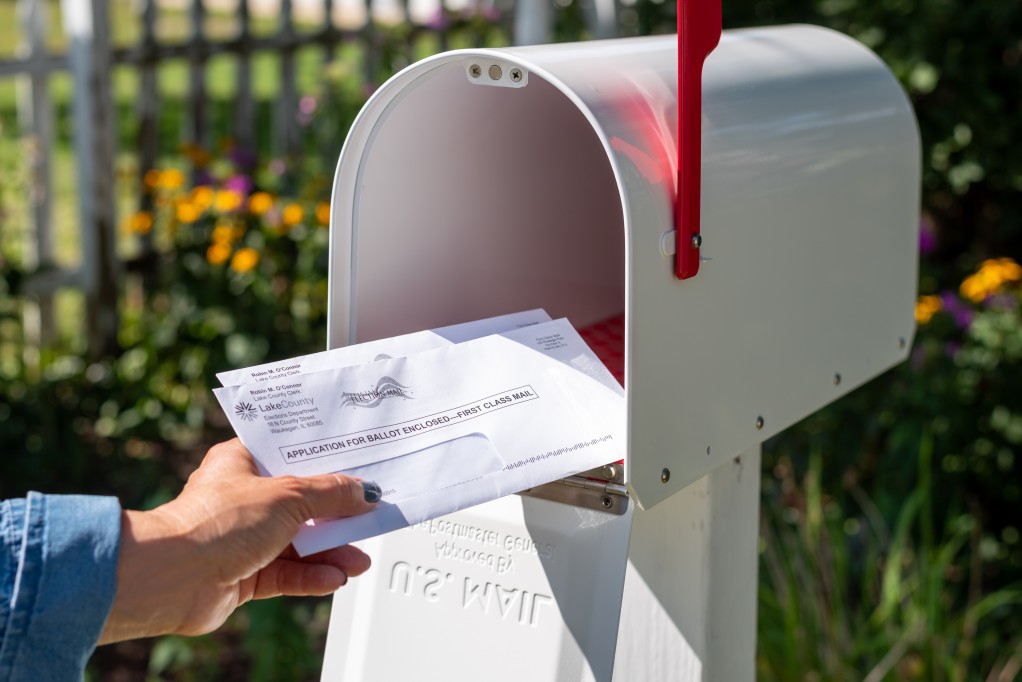
A P.O. box only holds mail in a numbered slot at the post office. You still have to drive over, unlock it, and sort the paper yourself.
Basic mail forwarding sends everything to another address in a bulk envelope. You wait days, and you pay to ship items you may not even want.
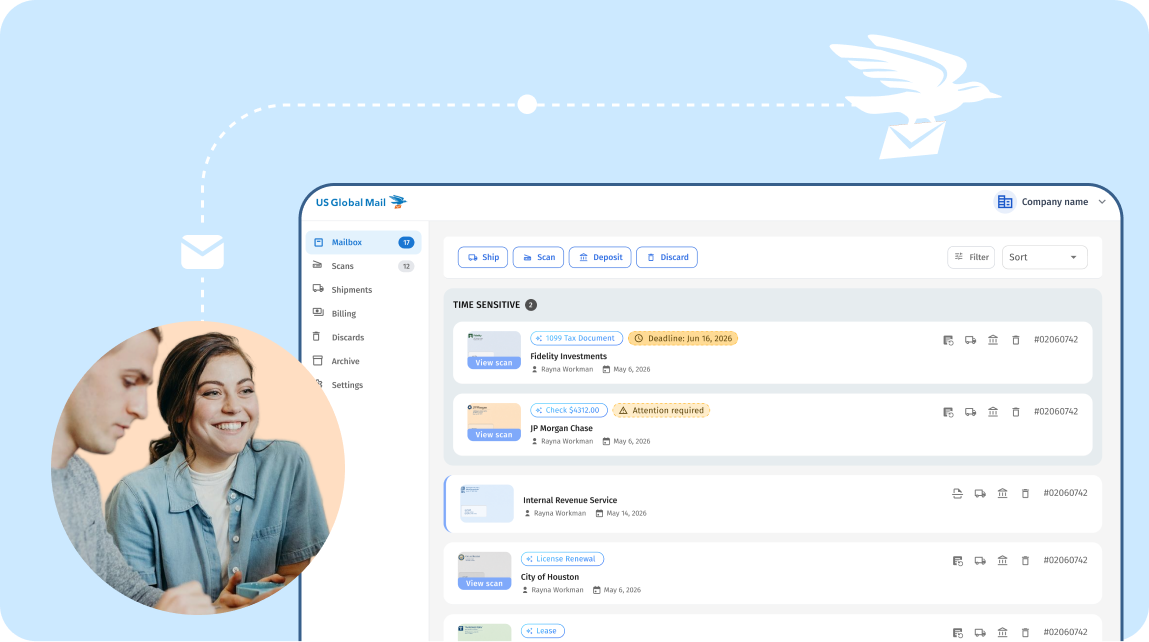
A virtual business mailbox service works more like mail operations. You see each item online, decide what happens next, and let the service carry it out. At US Global Mail, AI reads every page, summarizes what is inside, and flags deadlines, so a stack of paper becomes a clean, searchable inbox.
How Does a Business Virtual Mailbox Work?
Every virtual mailbox runs on a simple loop. Your mail arrives at your U.S. address, and you decide online what happens to each item.
The difference is in the software layer. You can see how a virtual mailbox works day to day.
AI labels each item and writes a short summary that flags any deadline. The rest is filed into a searchable inbox, and you get a Slack alert when something important lands.
Receiving and Scanning Your Mail
Mail comes to your street address, where staff log it and post an exterior scan of the envelope. You get a notification with the sender and mail type.
When you want to read what is inside, you request an open-and-scan and scan business mail online within a few business hours. The AI adds a plain-language summary and pulls out any deadline, so a dense tax notice becomes a one-line alert you can act on fast.
Acting on Your Mail: Forward, Shred, or Deposit
Once an item is scanned, you decide what happens to it. You can set rules one time, based on sender or mail type, so routine items handle themselves.
- Send documents or packages to any address, including international shipping.
- Securely destroy anything you do not need to keep.
- Turn a paper check into a bank deposit without a trip to the branch.
- Keep items filed in your searchable inbox for later.
Check deposit is where costs quietly add up elsewhere. Many providers charge $3–$20 for each check. US Global Mail includes virtual check deposit free on every plan, with no per-check fee.
Why Businesses Use a Virtual Mailbox
More work happens away from a fixed office than it used to. The U.S. Bureau of Labor Statistics remote work data shows 35.5 million people teleworked or worked at home for pay, 22.9 percent of people at work in the first quarter of 2024, up from 19.6 percent a year earlier.
New companies are forming fast, too. Census Bureau data cited by the SBA points to record business applications, with a record 5.5 million new business applications filed in 2023. Each of those founders needs a place to receive official mail.
Here are the main benefits for businesses that drive adoption:
- One permanent address: Your address stays the same even when you move offices or go fully remote.
- Mail across entities in one place: Manage mail for several LLCs or a holding company from a single inbox.
- Access from anywhere: Read and act on mail from any country, on any device.
- Less busywork: Rules forward, shred, or deposit items for you, so paper stops piling up.
Using a Virtual Address for Registration, Banking, and Filings
A virtual mailbox gives you a real US street address that many company forms accept, including IRS filings and vendor paperwork. It replaces a home address on documents you would rather keep private.
Acceptance is not universal, so be careful here. Whether you can use the address to register an LLC depends on your state’s registered-agent rules, which vary from state to state.
Bank accounts work the same way. Some banks accept a virtual address and some do not, because each bank sets its own address policy. Confirm both your state’s rules and your bank’s policy before you rely on the address for either one.
Is a Business Virtual Mailbox Legal? USPS Form 1583 Explained
Yes, it is legal and regulated. Reputable providers are registered as a commercial mail receiving agency (a CMRA, a company approved by USPS to receive mail for you).
The Federal Register USPS Form 1583 rule requires completing PS Form 1583 and two current forms of ID to receive business mail through an agent. You then either notarize the form or verify your identity in person with the provider (effective July 1, 2023).
That step sounds like paperwork, but it is quick with a good provider. US Global Mail walks you through completing USPS Form 1583, including a free online notary option so you can finish without leaving home.
Keeping Business Mail Secure
Business mail carries sensitive material, including checks, account statements, tax notices, and signed legal contracts. That is exactly what thieves want.
According to the U.S. Postal Inspection Service mail theft investigations, the agency opened 1,487 mail theft cases and made 1,353 arrests in FY2024, and notes that thieves target financial and identity documents for check fraud and identity theft.
The downstream cost is large. Per FTC data cited by the USPIS on identity theft losses, in 2023 there were over 1 million reported identity theft cases and more than $10.3 billion in fraud losses.
Routing mail to a staffed facility keeps it off your porch and out of an unattended lobby. US Global Mail backs that up with several protections:
- Company-owned operations: Vetted employees handle your mail, not an outsourced third party.
- Compliance audits: The service is SOC 2 Type II audited and HIPAA compliant.
- Account security: Bank-grade encryption and two-factor authentication protect your dashboard.
- Team controls: Role-based permissions and audit trails show who accessed what, and when.
How to Choose a Business Virtual Mailbox Provider
Prices look similar across providers, so compare what you actually get. The checklist below shows what to look for and why it matters.
| What to Check | What Good Looks Like |
| Address type | A real street address, not a P.O. box |
| Scan turnaround | Same-day or next-day open-and-scan |
| Check deposit fee | $0 per check instead of $3–$20 each |
| Forwarding cost | Clear per-item pricing with no hidden markup |
| Integrations | Connects to Slack, Google Drive, and your other tools |
| Security | SOC 2 Type II and HIPAA, with company-owned facilities |
| Support | Real people, with no retention calls to cancel |
Match the checklist to how your business actually runs. A team that gets many paper checks should weigh deposit fees heavily, while a distributed team may care most about integrations and turnaround.
What It Costs
Entry pricing in this market usually starts around $8–$10 per month. Your final price depends on your plan tier, how many scans you request, forwarding volume, and how long items sit in storage.
Watch the add-ons, because that is where a cheap plan gets expensive. Per-check deposit fees and forwarding markups can outweigh a low monthly rate, so add them up before you commit. Free check deposit and clear forwarding pricing keep your total cost predictable.
Frequently Asked Questions
Everything you need to know about a virtual address and virtual mailbox.
How long does it take to fill out Form 1583?
About 5 minutes if you have your IDs handy. Online notarization adds another 10 minutes.
Does Form 1583 cost anything?
The form itself is free. Online notarization typically costs $15-$30, depending on your provider. Some providers (including US Global Mail) include notarization in the onboarding process.
Can I fill out Form 1583 online?
No. Form 1583 only authorizes your provider to accept mail on your behalf. You need to file a USPS Change of Address or update your address directly with senders to start receiving mail.
Does Form 1583 forward my mail?
Yes. Every plan. No per-check fee, no monthly limit, no fine print. We scan the check, you deposit it through your banking app, or we forward it to your bank. Other providers charge $3 to $20 per check. We charge nothing. Shipping fees to your bank apply- as charged by carriers.
Can I use Form 1583 for a P.O. Box?
Form 1583 is specifically for CMRAs (private mailbox providers and virtual mailbox services). Traditional USPS P.O. Boxes use a different process managed directly by the post office.
Can a non-U.S. resident complete Form 1583?
Yes. International customers can use a foreign passport as their photo ID. Address verification can be completed with an international document, and online notarization makes the process accessible from anywhere.
What if I need to receive mail for multiple business names?
Each business entity receiving mail at your address needs its own Form 1583. The business section (Section 7) must be completed, and an officer of the company must sign.
How long does my provider keep my Form 1583 on file
Your CMRA must retain your Form 1583 and copies of your ID documents for the duration of your service, plus a minimum of six months after termination. These records must be available for inspection by the Postal Service at all times.
Got more questions?