

How do I add a new credit card?
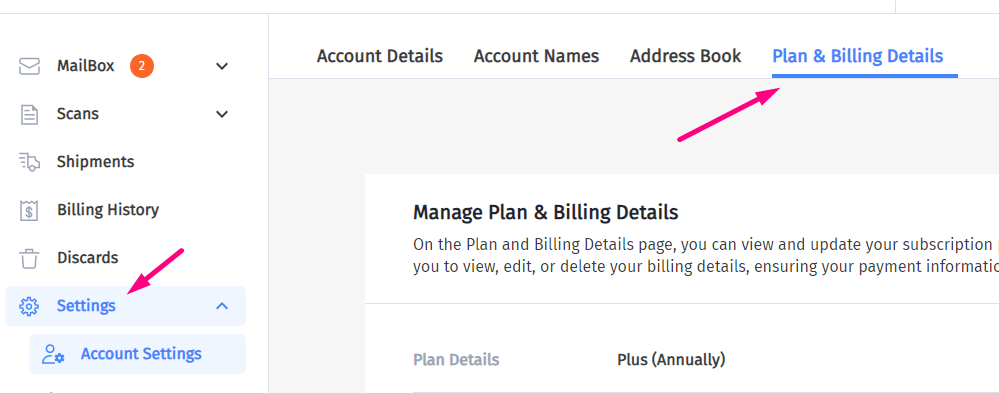
1. Log In To Your Account and go to the Settings tab:
2. Click on Plan & Billing Details:
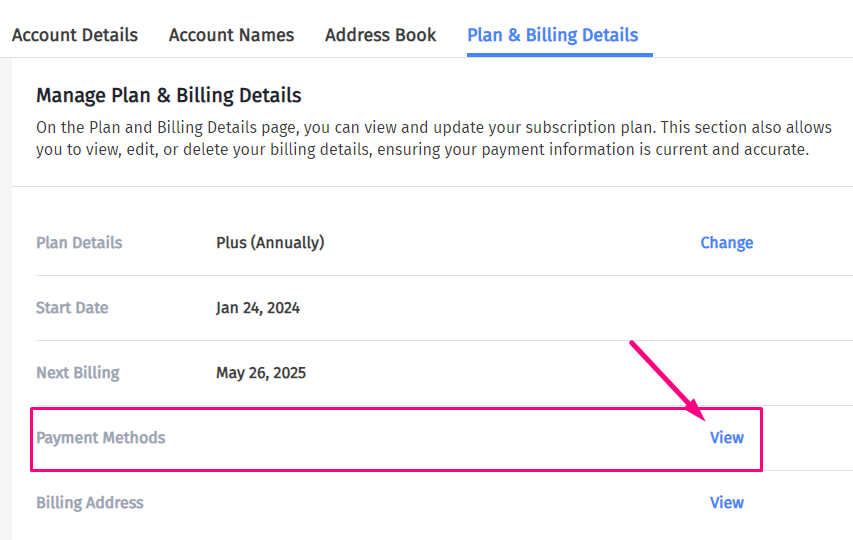
3. Then click “View” next to Payment Methods.
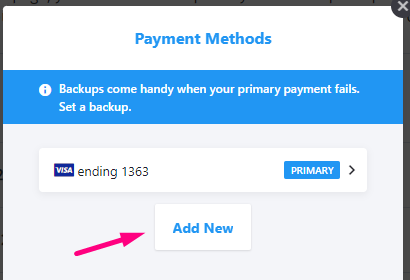
4. Then click “Add New”:
5. Add the new card details:
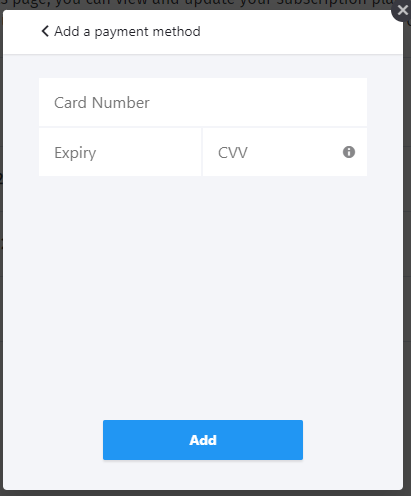
Click Add.
6. You can choose to set the new card as your primary or backup payment.
Your card should now be ready for use.